 pipmoth
 Next2Play
Too many games? Let Next2Play pick one.

Free on iPhone. No ads, no tracking.
From a pile to a pick
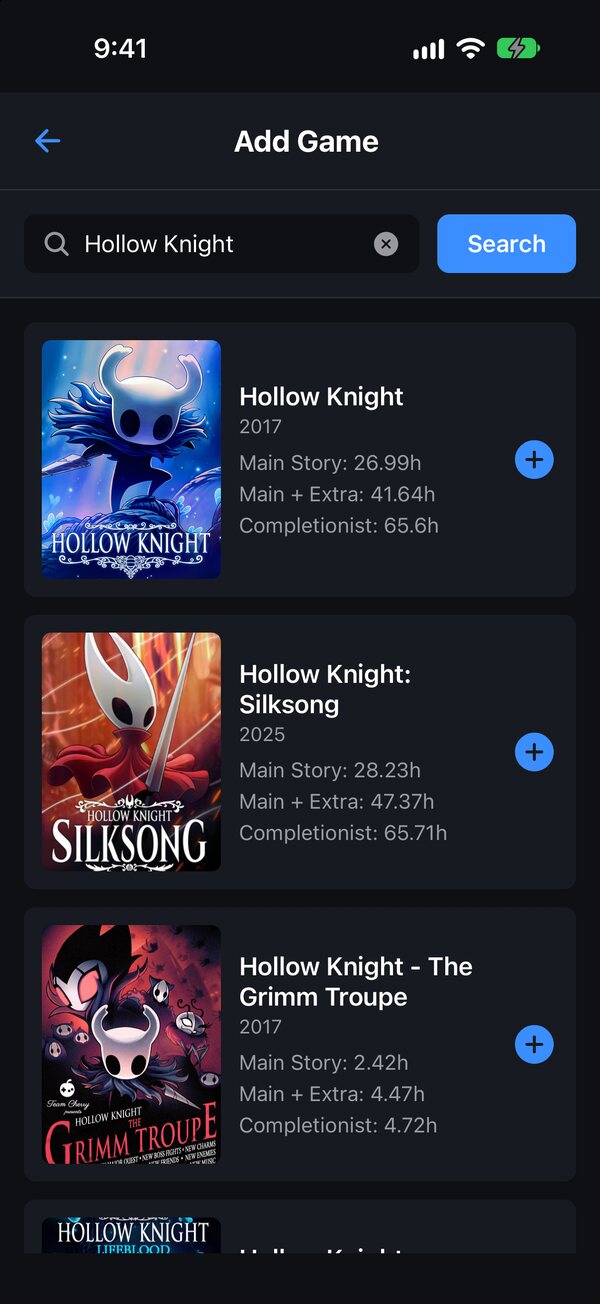
The pile keeps growing
Search for any game and add it in a tap. Next2Play fills in how long it takes to beat, using times from HowLongToBeat.
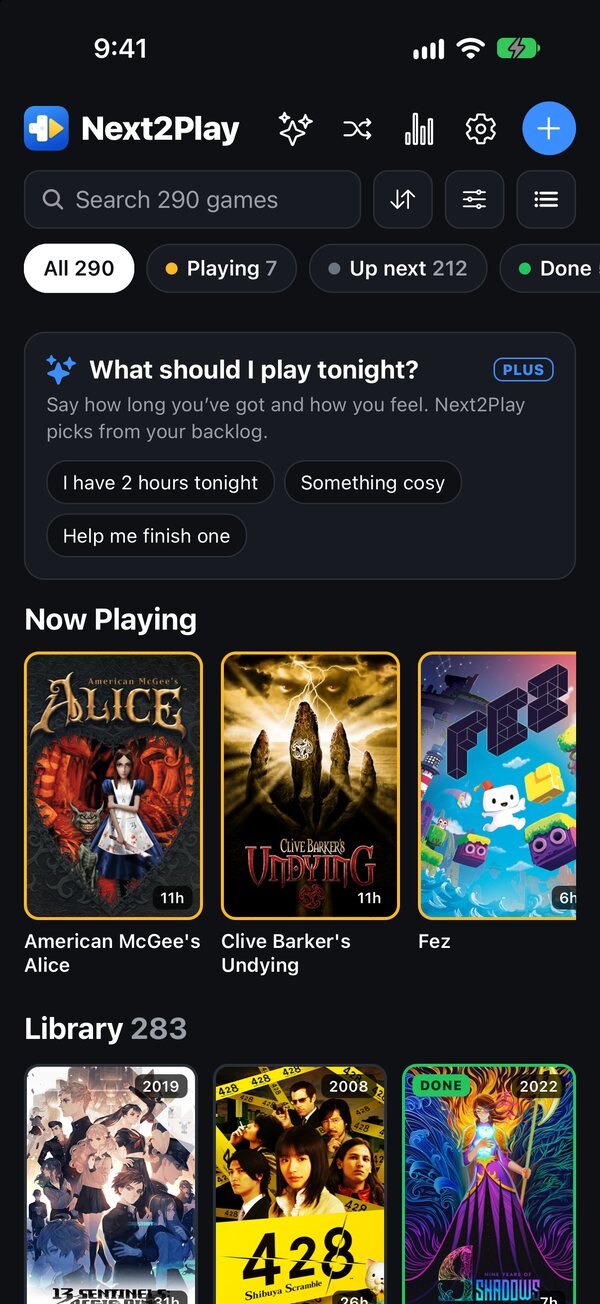
One place for all of it
Mark each game Not Started, In Progress, Complete or Tabled, and see what fits the time you have.
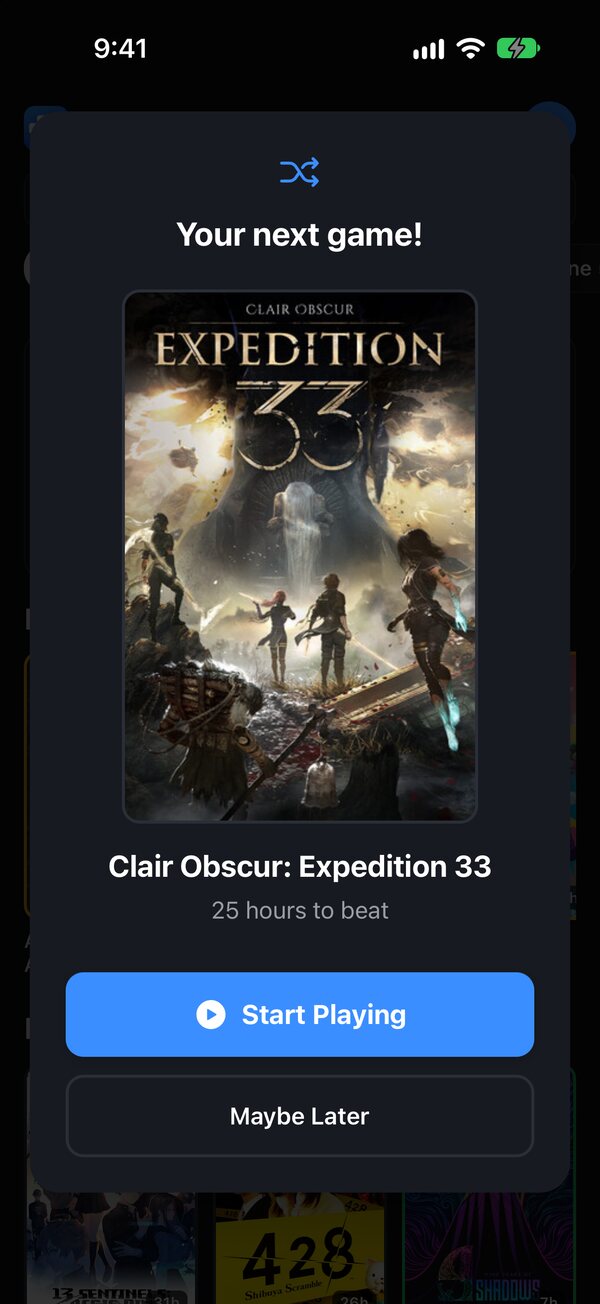
Can’t choose? Don’t
The random picker shuffles your backlog and lands on one. Start playing, or spin again.
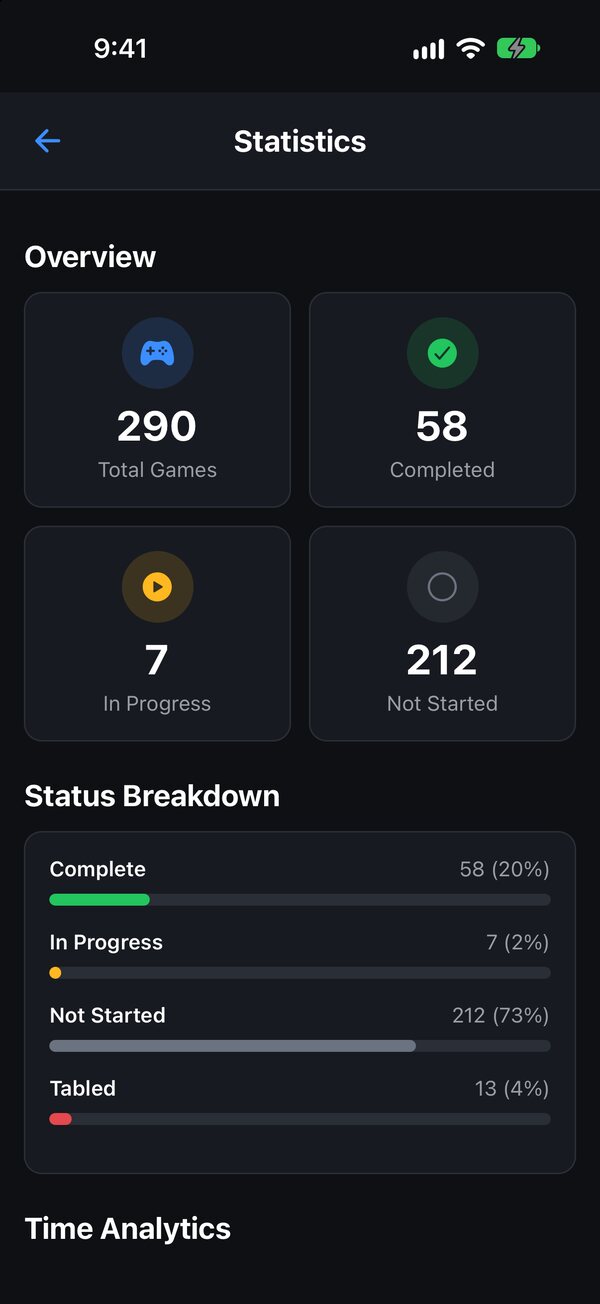
Watch it shrink
Stats show how much you have finished and how many hours are left.
What’s free, and what it costs
- Free to download and free to keep using: the library, time to beat, the random picker, stats, a wishlist and CSV import.
- Next2Play Plus is one purchase, US$9.99 on the App Store, not a subscription. It adds a picker you can ask (“two hours, something cosy”), a spoiler-safe catch-up when you return to a game, import from a photo, Steam sync, wishlist alerts and home screen widgets.
- No ads and no tracking.
Questions
Is it on iPad?
Yes. The App Store lists it for iPhone and iPad.
Do I need an account?
No. An account is optional: sign in with Apple or your email to back up your library and sync it across devices, and delete it from Settings at any time.
Where do the times come from?
From howlongtobeat.com. Next2Play is not affiliated with HowLongToBeat.
Can I bring my list from somewhere else?
Yes. Import a CSV from Grouvee or Backloggd, or paste a plain list.
What does it cost?
Nothing. Next2Play Plus is an optional one-time purchase of US$9.99.
Something to add to the pile
From the journal
How to pick a game from your pile
Four ways to choose what to play next when your backlog is too long to think about.
April 2026